Seems to work anyways.
And AOL hackers and soical engineers like HappyHardcore, creator of AOL4Free & the Master Blaster, the famous Da Chronic, creator of AOHell and KT (Shameer) who first taught me social engineering in 1995-
http://www.stepbystep.com/America-Onlines-Dark-Side-131812/
Koceilah Rekouche aka Chron, photo from the 1990s-
something that works for kids but also scales all the way into enterprise.
Sure there are some other issues in picking JS, but it is both readily available and (somewhat) scalable to "serious" projects.
It's a bit of a shame the industry gave up on the idea, and abandoned these syntactically-sugared programming languages. HyperTalk reads just like English; it very much seemed like the next generation of the niche BASIC aimed to fill. Because computers of that era typically opened right into a development environment (e.g. a simple BASIC interpreter), there was even brief discussion of HyperCard potentially replacing Finder as the default Mac OS environment.
One way to experiment with this distinction might be to look at the Wikipedia page
https://en.wikipedia.org/wiki/HyperTalk#Fundamental_operatio...
and read through the examples and see if you follow them. I'm sure you will.
Now, close the page and try to write a valid loop, and a valid user interaction, and a valid test for the existence of a file. I don't think you're likely to succeed unless you've actually programmed in HyperTalk recently.
But I could readily imagine that many people can learn HyperTalk more quickly or comfortably than a language without the natural language elements. Maybe part of that is the low psychological barrier to using a system that looks like it makes sense semantically, compared to learning special meanings for lots of symbols.
[0] https://blogs.msdn.microsoft.com/oldnewthing/20070406-00/?p=... [1] https://blog.codinghorror.com/when-understanding-means-rewri...
This phrase reminded me of a thought I once had, that the removal of the compiler as a first-class application in user-centric OS distributions was an imperial gesture to enforce class hierarchies among end-users: you were either a user, incapable of making your computer do new things, or you are a developer, who must be convinced to make computers do new things using rules and policies (and tools) that were forced upon you by the Powers That Be™.
I think one thing we should be demanding, as computer power users/developers, is the return of software development tools to the forefront of the computing experience. It is unacceptable that computers are being shipped today without the means of making them productive, other than participation in a walled garden.
I know its a tall order, but I'd love to see an OS vendor make a serious point of making their users better developers, not worse.
That said, I do agree that programming should be made more accessible. Bret Victor and others seem to be exploring new ways of doing that, besides making computing more physical:
- The bundled development tools were usually still there, but they took a form that those of use who grew up with computers in the 1980s were less likely to acknowledge. Consider how web development took off soon after more traditional languages were removed.
- People are more interested in programming when new technologies appear. There are more itches to scratch, opportunities available, and the barrier to entry is lower.
- Programming simply became more complex. It used to take one line of code to do something. Between the OS and languages requiring more (initialization, boilerplate code, etc.), programming became less appealing. While tools like HyperCard addressed some of this, the distinction between "real" programs and these environments was quite clear.
All of this is driven more by the end user than by industry. And if end users are less keen on programming, why should businesses make the investment in creating tools for them?
I personally think this tools vs. appliances distinction explains a lot about tech culture nowadays and I would love it with we nerds could collectively exile the computing "mainstream" to mobile so we power users can have our tools (computers) back.
Microsoft, Google, and Apple et al are muddying the waters, by trying to shove mobile square pegs into desktop's round holes
Not just the failure of desktop Linux, but also Windows, which still asks regular users if they want to 'debug' a crashing app. To most people, 'debug' means 'fix' and the button just doesn't work.
The web has some of that, but the technology is just so much more complex. The difference between reading the .bas file for SNAKE vs. using the web inspector to understand how gmail works is astronomical.
This wasn't a granted thing back then.
GW-BASIC source needed to be explicitly saved in ASCII mode.
I do worry that HyperTalk ruined me in the same way the Dijkstra asserted BASIC ruined programmers of his era, but I have a good job and seem to write good software so I don't worry about it too hard.
I really worry for kids these days: JavaScript + HTML is nowhere near as friendly an environment as HyperCard was. What's a clever kid going to use as a programming environment now?
I think you may be making a couple of unsavoury assumptions there.
> A lot of people ended up learning programming because of these simple languages/tools, and I used to love playing with their projects I'd download from Geocities and the like.
But I do agree wholeheartedly with your point. I'd love to see more people embrace hackability over shininess, and become more than just consumers again.
If I could go back in time I would have stuck with QBasic for at least another five years before moving to C. I wasn't close to ready for the briefly exciting dive into "real" coding, which led to abstract CS concepts, the thick books with exciting illustrations on the covers, the CS classes which were so boring. Meanwhile I believe I could have actually been shipping software had I stuck with QB. Gar to admit but true.
There wasn't a single new concept regarding low level hardware programming that C teached me, on the contrary, I got to learn how not to do it.
And I wasn't infected by the "micro-optimize each line of code as it gets written" culture, rather I was shipping software that was fast enough to keep its users happy.
The project was to split the parcels of land from Lille to Paris with the track of the TGV (high speed train) to calculate the expropriation the state was doing to the poor guys who'd end up getting their huge field cut in two, and would have to drive 20 miles to go from one side to the other :-)
Seriously. Hypercard was pretty cool to throw together something quickly, with a UI and more importantly it gave the client the impression they could go an tinker with it afterward.
It was also excellent to mockup UIs and 'processes' and other bits of Mac apps before committing to making them, so even internally at apple, Hypercard (and Supercard) were used a lot for mockups.
There was a huge ecosystem around hypercard, and it lasted for a very long time.
Oh, and Atkinson is still my hero!
Playing with this, I was trying to figure out a practical application for it. Is it fair to say it has largely been obsoleted by things like wikis?
I'd have a hard time thinking of anything current that's general purpose and would be able to do something of that scope. Probably Flash would be the thing you would use, but without Flash I'm not sure. The nice thing about HyperCard was that the vast majority of the work could be done by people who weren't programmers. Even for my bit, I was still a student and it wasn't really that difficult to write the plugin (stupid Mac Pascal compiler bugs aside... :-P).
I just opened ViperCard, and the GUI is totally intuitive. The scripts used by buttons share a lot of syntax with AppleScript. This is the GUI for AppleScript I always wanted. Now I know why people love it. If I'd been able to use HyperCard earlier, maybe I'd have become a front-end developer instead of a back-end engineer.
Lucky you.
I put it into AOL's ftp area as shareware and got checks from around the world for $2. I was about 8 years old!
EDITED: I'm offering a $100 reward if anyone can find a copy of this software in an archive or old shareware disc somewhere! I'd love to find it again. Also, bonus points for finding my OneClick Palette called "AOL ROVER".
There's Amber Smalltalk, but that's more powerful and the simplicity of HyperCard is part of its charm.
The Flash authoring tool was always, imho, pretty nice. The runtime had lots of issues, though.
However, you could open up a command console in this neutered version of HyperCard, type in 'magic', and you'd be able to unlock the full set of authoring tools.
Magic indeed.
They have a FOSS version behind that confusing website, the livecode.org site has access to the GPL version, you can download without acquiring a membership. It is just a bit hidden.
Aside from being easier on the eyes (especially an amber or red interface), they force UI designers to make careful choices, and potentially result in a cleaner, more useable interface.
It's not a project for me yet, just a series of notes and concepts, but I'd like to turn it into a proof of concept at the very least.
It was very much influenced by HyperCard, obviously. They didn't try to hide it, to the contrary, so much so that they hacked the UI-controls to make them more "Macintoshis" I guess.
Except it came in colors. The multimedia aspect of the Amiga, remember?
Hypercard overall was just great at getting out of the way and letting you get things done. Looking back, if Apple had realised how powerful networking was back then, Hypercard may have morphed into the browser one day, but they missed that boat.
I remember reading somewhere a while back that Hypercard plus some XCMDs were used to control the lighting system in Petronas Towers in Kuala Lumpar... actually here we go: https://www.wired.com/2002/08/hypercard-forgotten-but-not-go...
No, it's the worst form of development, except for all those other forms that have been tried from time to time.
edit: to clarify, even back in the day those were the two things that I really disliked about HyperCard. No color and no Windows
Well, heck. Now I can’t even see what is causing so much commentary on the memories of HyperCard.
(Reminder: If you're doing browser feature detection via User-Agent string, you seriously need to re-examine your life.)
Good luck!
It's important to acknowledge that we have done this to ourselves. The amount of job-justifying unnecessary complexity found in today's programming environments make me wonder how the field hasn't yet toppled over itself
Alas, I feel that if we don't make it easy for users to become developers, they stay users.
Its not the other way around - clearly there is a market for developers/users. Its just that I think the dividing line is completely arbitrary, and enforced by marketing decisions - not technical or ethical ones.
No, the reason I looked down on Flash, was because all I ever saw were CPU sucking ads, fairly boring non-interactive presentations/videos, those dreadful websites that were all Flash and took an age to load, and then the crappiest of crapware games with no love or attention to detail put into them. As a result, I just came away with the idea that you couldn't do anything good in Flash.
I was wrong. Incredibly and spectacularly wrong. Ironically so, because I'd been a big fan of AMOS back in the day on the Amiga (though I'd have been better off with Blitz, probably) - another environment designed to make it super-easy to take advantage of the multimedia, animation and gaming capabilities of the host platform.
Don't get me wrong: you can do great stuff with HTML5, JavaScript, CSS, WebGL, and so on, but with Flash you could do all that stuff 15 years ago, and it made it all just so much easier. So with the passing of Flash I can't help but think we've lost something, and it makes me a little sad to think about it.
A closer analogy would be to the fully featured Logos you could get in the late 80s which looked like simple drawing languages on the surface, but were actually pretty full-featured LISP implementations.
I wish there was a UI philosophy that would take Tufte's ideas as a set of core principles: maximizing data-ink ratio, minimizing junk, increasing data density.
(Disclaimer: I'm one of them, so this argument doesn't really appeal to me personally. I'd rather there were tools that don't require me to have a lobotomy to use them..)
Windows 9x used 125% text height of 10pt as clickable item height, that's around 0.441mm.
Android 4.0 recommends a clickable item height of 48dp, "roughly one centimeter".
Android 5.0 uses 56dp (1.17cm), and on Phablets and Tablets even 64dp (1.33cm).
For items in lists, a second effect was seen, as it became recommend to show more info earlier, the number of list items visible at the same time was reduced. A multi line list item has a minimum height of 72dp (1.5cm), average is more around 96dp (2cm).
A similar effect can be seen on Windows, in UWP, the average item height also went to almost exactly 1cm in lists or menus.
This all fits well, as the smalest reliably clickable element in a UI is ~1cm on its smallest dimension.
This is also a common issue with HN, where voting buttons are 0.3 by 0.3cm, even on mobile, and as result I misclick ~2/3rds of the time, but no one seems willing to fix this.
One of my early contract jobs involved reverse-engineering the entire game and reconstructing it as a screen-saver, with a little AI that would generate plausible game-play activity while you watched. The startup that hired me got sued out of existence approximately ten seconds after shipping the product, despite our scrupulous attention to copyright (everything we used was loaded off the CD at runtime), and that was a valuable lesson about the true nature of the legal system. Even still, the experience of immersing myself in that game world deeply enough to recreate its structure remains a fond memory.
They actually had to use the same color palette for each age to ensure there wasn't any strangeness as they flipped between cards to move around in the game.
edit: I guess not, neat!
QBASIC isn't for sharing hyperlinked information either!
Though I dislike the recent low-contrast efforts. Keep high contrast, reduce brightness as desired for your environment.
Having said that, it's hard to beat black on white for contrast ;-) However, I think one of the reasons people like the monochromatic themes (especially white on black) is the same -- they want high contrast with low brightness. By having the background black, they guarantee a low brightness. And when white is too bright, they go for amber.
I find that by doing the reverse (black on white) and setting my brightness very low (I often go as low at 7%, but more normally 11% back light) I have a very comfortable display with a lot more options. It's really funny, though, because when I have to run software that doesn't follow my colour themes, the computer almost looks like it's turned off. If I'm playing a game, I have to crank up the brightness to 70% or 80% in the same lighting conditions.
On a modern screen, a value of 100% is 1000 nits, 0% is far below 1 nits.
On an average shitty monitor, it's more a range 10 times more limited.
Your suggestion of making my monitor emulate your shitty monitor in hardware settings would also make it impossible to use it for use cases that do need this high contrast.
Reading text, on the other hand, gets very painful with that much contrast.
Real text, on a real newspaper, in normal room light, is #454545 text on #f0f0f0 background, in sRGB color space. Not #000 on #fff in sRGB, and definitely not 0 on max on ten times more contrast.
The real issue is that we have no color and contrast management at all for websites. I can't say that a color is meant to mean a certain brightness in nits, so it renders as #777 on my screen, and #000 on yours.
Low-contrast UIs can work well in a typical office environment on bright screens.
Take your ideally calibrated monitor, and use it as a second screen while watching a movie in your darkened home theater. Now take it and use it outside on a sunny day.
I prefer to adjust the brightness. YMMV.
Your description of sRGB is incorrect. sRGB was specified for CRT screens in 1996, used in an ideal viewing environment that is very dimly lit ("The current proposal assumes an encoding ambient luminance level of 64 lux which is more representative of a dim room in viewing computer generated imagery... While we believe that the typical office or home viewing environment actually has an ambient luminance level around 200 lux, we found it impractical to attempt to account for the resulting large levels of flare that resulted" https://www.w3.org/Graphics/Color/sRGB.html)
That doesn't match my viewing environments, which include the range above.
Wouldn't that just be Tufte's ideas? What's missing for it to be a 'UI philosophy'?
One of the core issues is constantly fiddling with the brightness, especially with multiple monitors.
That's where ideally you'd want to have the brightness of the panel fixed, and change it with a lookup map, e.g. what f.lux does for color mapping at night.
That's where you'd get ideal results, would be able to enjoy media in high quality without having trouble with too high contrast or too low contrast websites, and you could choose separate profiles for text and media.
Not everything supports this yet, but with the move to HDR10 and DolbyVision, support is getting better, because now people do have content in the same window that's mastered with completely different contrast ratios (the min for HDR10 is "moonless night", the max is "as bright as sunlight on a cloudless day", while for text the ideal min/max is newspaper text)
And then you'd probably need to throw in an adjustment for the individual user's light sensitivity needs and preferences, and possibly the user's current eye dilation (did I just go from bright light into a dark room? Or did I just wake up in the dark room?)
You can design for an ideal environment, but realize that users will not always (ever?) be in that ideal.
The per-application brightness should be done in software, and ideally take into account HDR and colorspace capability of the software.
Otherwise, like the user above had suggested, you have to switch brightness every time you switch between different programs.
...and we've come full-circle:
"Keep high contrast, reduce brightness as desired for your environment."
Otherwise you can't have on the same screen a game simulating a dark night with low contrast, and a guide for that game which uses the full contrast spectrum.
Your suggestions all break if I want to be able to have at the same time extremely low contrast content and text on the same screen, next to another, and want both to look fine.
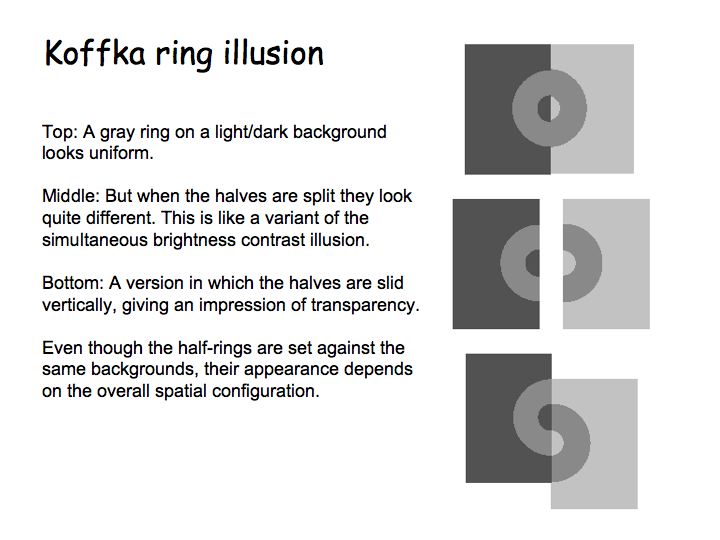
With that scenario, you're dealing with physiological limitations, because if you have a bright region next to a dark night region, your eyes cannot perceive detail in the dark region. You'll also be vulnerable to the optical illusion effects of perception (e.g., see http://www.cns.nyu.edu/~david/courses/perception/lecturenote... and other examples in http://www.cns.nyu.edu/~david/courses/perception/lecturenote...), so "look fine" is going to be rather hard to define, much less guarantee.
But this discussion was really about interfaces, potential interest in monochromatic interfaces, and the issues of low-contrast interfaces.
This article from the Nielsen/Norman group clearly describes the usability problems with the currently trendy low-contrast interfaces. https://www.nngroup.com/articles/low-contrast/
Correct, that's why you meed a software solution that detects this issue and dynamically adapts.
This isn't complicated either, every modern video game has the issue of UI, text, and HDR content in one frame, and has well-working tonemap curves and dynamic exposure adaption algorithms.
Microsoft is also integrating solutions for this into Windows.
Any OS that plans to ever mix HDR and SDR content on one screen needs this anyway, and if you do that, you can also easily add minor changes to allow text content to be annotated so its contrast can also be dynamically adjusted.