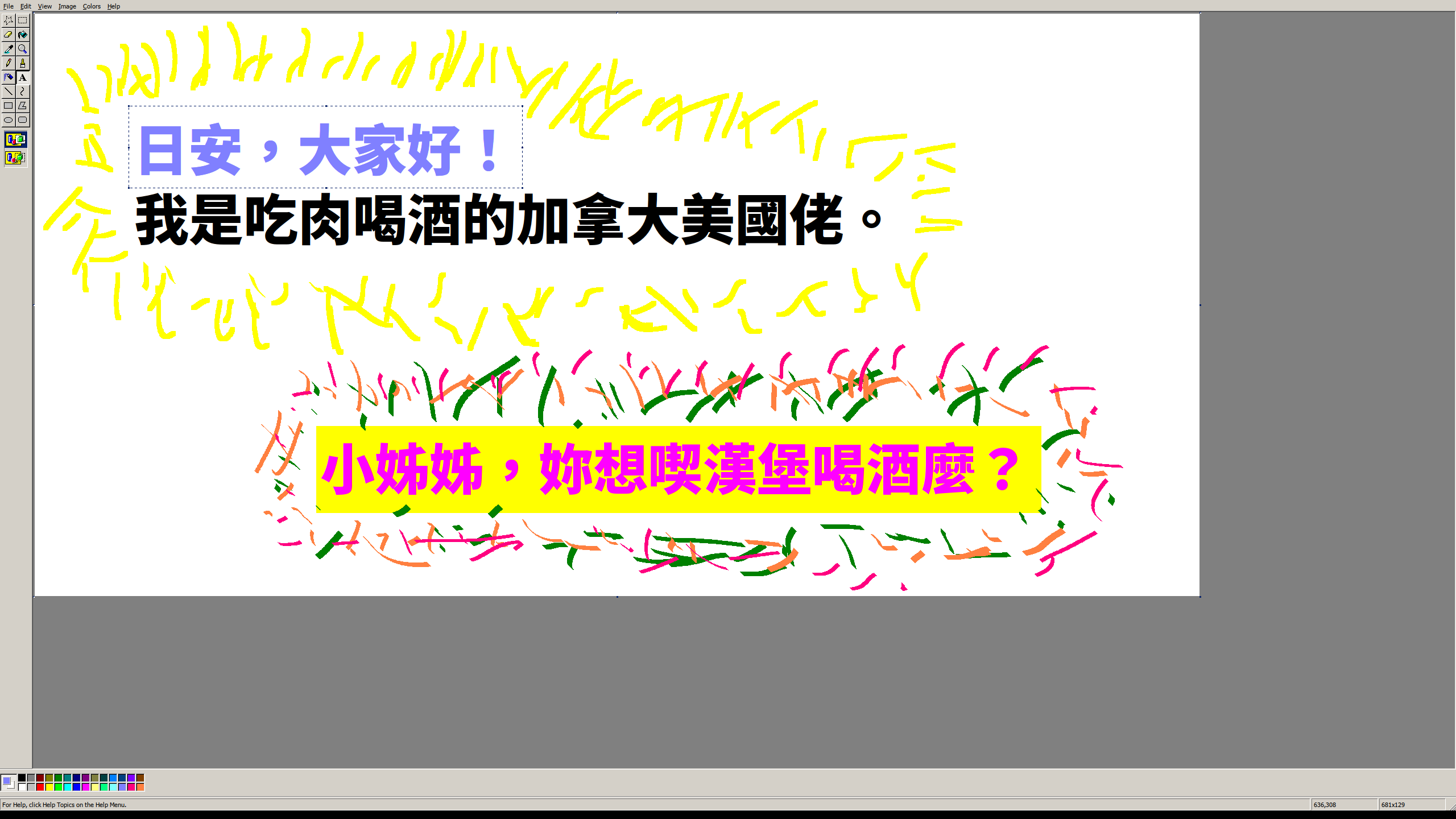
XP Paint – A Web-Based Version of Window XP's MS Paint(chowderman.github.io) |
XP Paint – A Web-Based Version of Window XP's MS Paint(chowderman.github.io) |
It's free but it's also available in Microsoft Store as a paid product, which gets automatic updates as a small extra and mostly works as a donation towards the developer.
I power through these feelings and download it anyway, knowing what wonderful software awaits on the other side, but it's really hard to shake those thoughts.
I don't much care for the ribbon but I'm used to it now. Hitting WinKey-R, mspaint, [Enter] is still my goto for simple picture editing, even just recording a screenshot despite the existence of the snipping tool...
Other than the minor annoyance of getting used to the ribbon I felt as if I was still using the same old paint when I did this.
It does have some nice features, like the premade shapes and brushes, but those could have been added to the previous MS Paint application without breaking its UX.
1. Can't select secondary colour with right click
2. Needs way more clicks to get a filled Rectangle
https://answers.microsoft.com/en-us/windows/forum/windows_10...
https://kde.org/applications/graphics/org.kde.kolourpaint
http://www.kolourpaint.org/screenshots.html (that website could use an update...)
Is Kolourpaint available as a website I can visit right now? Lots of editors are "better" from a feature standpoint. That's not the feature that is relevant to the discussion.
Well you are in luck: https://archive.org/details/MSPaintWinXP
I use this all the time on my Windows 10 box.
Just download, rename to "mspaintxp.exe" and put it in C:\Windows\System32. Optionally update Paint shortcut to point to that one so when you type "Paint" in start menu that's the new default.
It's really sad that one of the world's biggest software companies can't make a fully-working calculator.
added: totally necessary proof https://qui.suis.je/drop/peakfun.png
Paintbrush was the closest thing I could find here, but it glitches out on me occasionally and the UI isn't as simple. I may just take the 20 minutes to do what you recommended under Wine. Thanks!
My quintessential perfect tool is always the Preview App on macOS:
You can add simple shapes, arrows and text to any images. You can rotate, crop and resize images. You can reorder, rotate, split and merge PDF documents.
That’s all very well tailored to most common use cases. In terms of image editing I guess you can do all that with Paint but it seems clumsy to me. Not really fit for that purpose.
And if I don’t want to mark something up but create something new (which will typically heavily rely on text even if it’s more visual, like a birthday invitation) the text editing is too weak to get anywhere really useful, so for that I would rather use some kind of either text editor or layouting program.
At some point Microsoft just forgot how to make software like this - sometime between 2005 and 2010 I think. OSes no longer come with simple, lightweight tools that are unsophisticated and just do what you want
Note: this is in no way affiliated with Microsoft, its merely a fan project based on my love of Windows XP
Good work.
He takes requests.
* it works totally offline (it performs no XHR requests and none of the libraries are linked to CDNs or other sites)
* is contained within a single ~1 MB in size .html file (I baked all images, scripts, style sheets, etc. within a single file)
* is lighter, as I removed some features to keep it closer to the original (but kept a few like the history and rendering as a GIF)
* is Win XP themed instead of Win 95
To this day I still take screenshots (PrtScn) and save them using pbrush (WinKey+R pbrush).
"XP Paint is a fork of the web-based remake of MS Paint called JS Paint."
document.body.style.zoom = 1 / window.devicePixelRatioAnd I think it should only save to localStorage, so that saving a few images would fill up all the space like I quickly did on my few GBs hardrive.
It's cool that you like it, but that's a surprising way to describe it. As I recall (as a user of windows 3.1, 95, ME and XP), the consensus was that Paint was a retro holdover, like Minesweeper and Solitaire. People appreciated it in a kitschy retro way.
We still have Notepad.
A lot of MS stuff recently seems to have forgotten that people need visual cues to "know" what to do.
Kolourpaint's scope and interface are similar. It can be found in most distributions'packages, and on flathub. Looks like nobody bothered to package it for windows, though, which is a shame.
Not to the thread overall, but it is relevant to this thread in particular. GP didn't mention any specifics regarding whether or not the editor is available online; they merely spoke about Paint's simplicity relative to everything else.
> Hi,
> Thanks for the update on the issue.
> We have tested the same with the latest Windows updates installed on Windows 7 and Windows 8.1.
> As suggested, I would recommend sharing this as a feedback on the Feedback app of Windows 10.
> Do let us know if you face any Windows related issues in future. We will be glad to assist you.
> Good Day!
[1] http://reboot.pro/topic/3717-xpsp1-with-full-commandline-and...
Downloading random installers was always flawed, but it's not getting any better. Chocolatey is the best you can get as a Homebrew/Homebrew Cask equivalent on Windows, and even if it takes some getting used to is so much better than navigating the web for installers.
Chocolatey is fine but it would sometimes cause problems which I frankly don't remember. With scoop I've had no issues.
I'm guessing the HN crowd can use either. A big plus for Chocolatey is that it has an official GUI (Scoop seems to have GUIs as well, but they are unofficial), which improves discoverability for everyone and makes it easier to extend the recommendation to users with lower technical skills. Chocolatey and its GUI are a bit clunky compared to my Unix-based package manager tuned taste (and Windows is missing a good sudo equivalent), but it's such a big improvement over the Windows tradition of chasing installers on the internet.
If you need an open source editor for those use cases, go with KolourPaint or Krita. Krita is not quite as simple as Paint which is why KolourPaint might fit your use case better, but I've switced to Krita for my Linux image editor. Now if they could just bring back an on-canvas text tool...