Using Paper for Everyday Tasks(christine.website) |
Using Paper for Everyday Tasks(christine.website) |
No, but it can vanish when you open the window. :-)
And its surprisingly hard to just ignore it. why?! :|
That sounds like a you problem. It doesn't really affect my reading. Sure it's more creative than the usual corporate blog style but I don't mind.
It's barbaric even when done with a printer. It's extra barbaric doing the smudging with your low resolution meat claw.
I carry a portable battery powered bluetooth thermal printer with me in my handbag. The only thing I will handwrite is my signature.
Been in the workforce for decades and I've met more than a handful of people who love writing things down and, of course, drawing stuff.
I've had a guy justify not taking notes because he didn't have a pen and paper on hand...WHILE having an online meeting. On a computer.
Now, these people don't have much in common but they tend to advertise this behaviour as benefitial to me and we always end up resenting each other.
In my experience, the same people often fill the white boards with incomprehensible junk. Again, for my benefit...
Edit:downvotes are not surprising. Waste is good, people. Waste is good.
Anyway, didn't have much sleep last night, so I am a bit cranky
But I very much struggle to take reasonable notes on a computer. Something feels “limiting” in a way, even if I’m consciously aware that you can reasonably do everything on a laptop that I would use paper for, and there are benefits like search-ability.
For writing notes I feel flexibility and freedom to redirect my future attention to different parts of the text or accentuate different sections with emphasis or tag a task to be done (with a diamond, in my case).
It’s also the case that if I need to break out into a logical diagram I can easily do so.
There’s something to be said for how it’s viewed by others too… writing notes looks focused. Tapping into a laptop looks distracted.
Same with driving a car, eating meat, buying a new shirt instead of second hand, buying new furniture instead of second hand, flying, buying disposable diapers for your kid instead of textile diapers, etc.
There’s nothing special with paper in this regard.
None of it makes me a better/conscious person but I felt it was necessary to address some of your points
But... if you keep it then suddenly you're doing carbon capture. Saving the environment one bad meeting at a time. Or riveting collections of todo-done.
But yeah the idiots who use the "I don't have paper therefore can't take notes." They're the worst.
Or do you use a bidet? or do use textile napkins that you wash regularly?
My gut says this seems, worse somehow.
Using a 9 l/min shower head for a 6 minute shower results in 54 litres of water being consumed. 54 litres heated from ambient (say; 15 deg C) to shower temperature (say; 40 deg C) requires 1.6 kWh of energy.
Most toilet paper is recycled so it’s a matter of figuring out how much the recycle process consumes per roll, then dividing it by the amount of average toilet paper segments a person uses.
EDIT: Lloyd Alter of the website treehugger.com reports that making a single roll of toilet paper requires 37 gallons of water, 1.3 kilowatt/hours (KWh) of electricity and some 1.5 pounds of wood.
So a whole roll is less than a shower, but I guess it also depends how the energy is being generated; because there are indications that toilet rolls are not entirely recycled, most use some amount of virgin wood.
Anyway, my point is not "you're wrong", my point is that it's a lot more nuanced than people think, and often the "green" solution can be less green but make them feel better.
it "liberates" my mind. I can't keep all the details in my brain. Example: designing a system. I can see the system in my mind but at some point I need to dump it to paper, so I can keep thinking about it. The paper, with the design, is discarded later on... the next time I need to continue working on that system, I start from scratch (although it's way easier than the first time). At some point I have the whole thing so memorized that I can start working on it without having to check the notes. I know it sounds counterintuitive, but "it works".
Also, my notes look terrible bad. I don't even care about my handwriting at that point; I only care about "move stuff from brain to paper".
Notes are just a way for me to think, to help my short term memory as you say. That's the best tool to think. Using my computer, even with my beloved Emacs (which is always shown as the best tool for everything :-) ) doesn't come close.
Now, for long term things, I do write them in a computer file.
Also, I don't know why, but writing with a pencil helps me to rememeber things much better than typing them on a keyboard. I'd say it's because the communication between my hands and my brain is more direct, dunno...
Anything long-term or larger in scope I want to have in a digital, searchable, format.
Once it is written down i don't need the paper any more.
Index / record cards and a binder clip work wonders for me. I used to write in a notebook but the anxiety of losing it is real, especially when reaching the end of a notebook filled with precious knowledge.
80% of read-usage was for either the current day or the previous day. Deeper history is very useful but often done at my desk. You can keep a rolling N day history with a binder clip. Having pieces of card is very useful too. Rip em up, fold em, flick em when you need to give an impromptu demonstration of how TCP works*.
Get a Fujitsu ScanSnap too: digitising index cards is much easier than digitising bound notebooks, and it now means you can access your note taking history from any device — essential for all the notes that didn’t get converted into project manager tasks but which need to be referenced, retrospectively.
Paper only works for private task tracking so it won’t work for everything but it’s the best tool for the top of the getting-things-done funnel.
*I am a high school CS teacher, former FAANGSWE.
It's the only way to fly.
I have a stack of discarded printer paper on my desk. Rough drafts I've printed to proofread, that sort of thing. I make notes and doodles on the back side of these pages, using whatever pen or pencil is handy. If I decide they are worth keeping, I can use a three-hole punch and put them in a binder. Mostly they end up getting shredded and recycled.
There are cases where using a text editor makes more sense. Working through the installation of a piece of software, for example. Much easier to copy/paste from the terminal (or just use 'script' to record it and edit later) than to transcribe shell commands onto paper.
Her method looks a lot like the old Bullet Journal method from before it turned into a major part of its creator's business affairs and became the sprawling ecosystem of rules and templates and books and discounts on paper/pens and Instgram influencers sharing the layouts they spent several hours on painting that is "BuJo".
Personally I prefer my variant of the Pomodoro Method from before it underwent a similar transformation; breaking one to-do up by the number of half-hour time units I expect it to take works well for me. Whatever works though. A nice notebook and pen work for me, too. Especially since I persuaded a few who had been bemoaning the excessive sizes of their fountain pen collections to send me some very nice perfectly-functional-but-unloved pens.
Just went to the Bullet Journal site, wow, there's an app now? There is so much going on there. It's too much. I'm also team fountain pen.
I reach for a light mechanical pencil when I need to sketch a diagram or visualization since I tend to be terrible at estimating how much space will be taken up.
The article recommended Field Notes are water-proof as well, if weather conditions are a concern.
I'd think that the bigger problem when leaving a journal in the rain is trying to keep the pages from sticking together as it dries. Probably a lesser problem with the coffee unless you have a major spill.
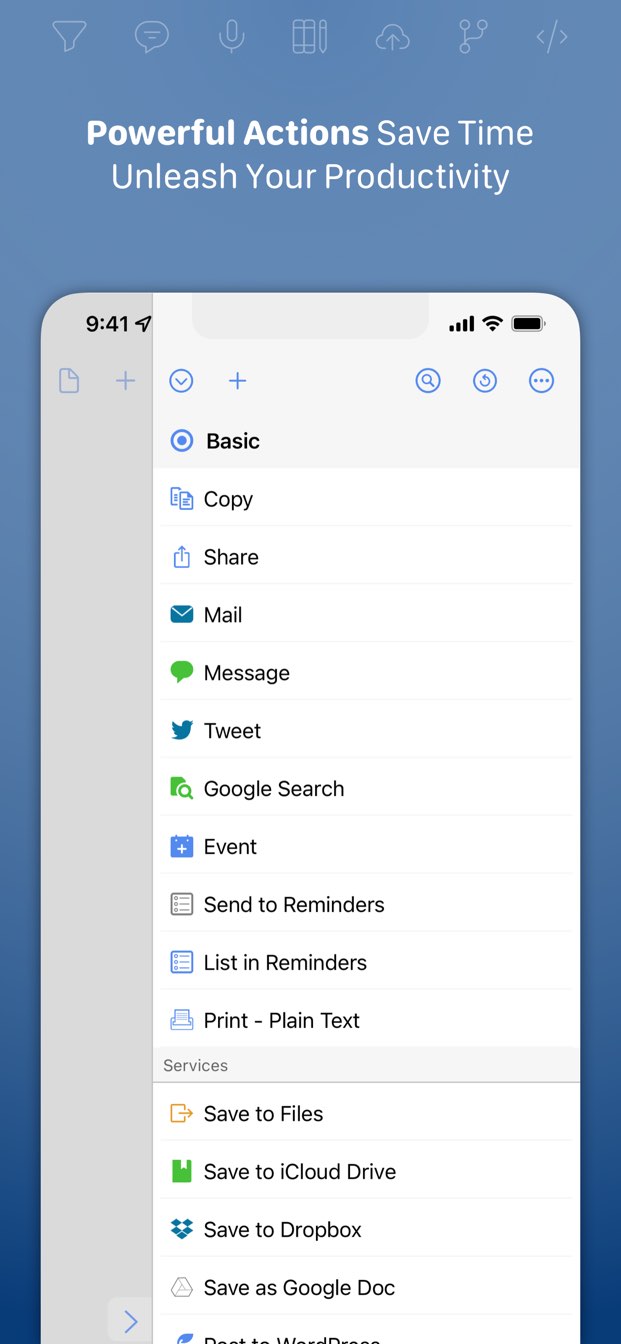
I was using Drafts on my iPhone as a kind of bullet journal, with an action group I wrote. [1] After a year of this, articles like this one convinced me to switch to a paper journal and to get a nice fountain pen. [2] I've done this for about a year and a half now, and when I fill up this current notebook next month, that's it. I'm going back to digital.
Turns out, pen and paper is vastly inferior to digital in every way I care about. Other people love it and that's awesome, but I can't escape the fact that I hate handwriting stuff, and I often cut my thoughts short so I can quit scribbling. Worse, the analog notes aren't actionable. My Drafts workflow turns my day's worth of bullet-style entries into a set of digital diary entries, new calendar events, and tasks in my task manager. I'm already carrying my iPhone with me everywhere [3], so I don't have to remember to drag something else along. If I'm jogging and think of something, I can say "hey Siri, remind me to..." and it makes a note for me without me having to pause and jot it down. Paper seems nice for impromptu drawings, but since keeping a paper journal, I've literally never drawn something in it.
For me, for my workflow, digital is vastly superior. Paper has its strengths, but none of them apply to how I want to use it. I mention all this for the benefit of other people reading this article and feeling vaguely guilty for not toting a paper notebook with them all the time. I think the important part is the note taking itself, not the medium they're recorded with.
[0] As an aside, this is enough for me to remember that day when I look back at it later. It’d be useless for anyone else reading it, but I write for me, not for a hypothetical person who gives a care about what I was doing in 2021.
[1] It got kinda popular: https://actions.getdrafts.com/g/1Sd
[2] Rhodia Webnotebook A5. Lamy Safari, Noodler’s Baystate Blue ink.
[3] None of this applies while on camping trips. I take a paper notebook with me to write stuff down because I don't have to charge it.
Over the past 15 years, I've tried to break my paper notebook addiction numerous times, and have failed every time. It took a year of interacting with people over screen only to realize why paper has worked better for me (and why I'm going back to it after a year of Roam):
Writing things on paper forces you to be a better listener, AND when people realize you're writing things down, they tend to speak more concisely. It's not that hard to type at the speed of most conversations, but it never feels like it's really listening. Watch people who do it! They nod, type furiously, and when they have something they want to add they will change their facial expression to signal that they want to finish typing their sentence before they want to interject.
Saying "hold on, let me write this down" gives everyone a moment to refocus, and it's a lot more natural to say that than "hold on, let me type this". Plus, it makes it much more natural to revisit topics and let the conversation flow.
Roam, Notion, GitHub Issues, etc are all great for asynchronous communication and coordination, but I don't know that any system will ever beat writing things down by hand for talking with people. (Although, the hype around ReMarkable is tough to ignore...)
I can search, organise and back up my notes, and also share screen / convert them to PDF and send them to colleagues easily. I can also easily rearrange the page and convert my scribbles to text so other people can understand them.
It was expensive compared to a notebook, but well worth it.
When I used paper I got used to have a stack of A4, put a title in one corner, I?d keep them on my left beside the keyboard. There are nice a4 in 4 light pastel colors, easier on the eyes than white, and simple memory cue when looking in the pile.
I’d have cheatsheets and tasks, the task/feature pages with lots of check boxes. I’d keep some cheatsheets for a long time, like css/typescript, and the task ones i would throw away when that feature is done.
https://www.jetpens.com/Kokuyo-Campus-Soft-Ring-Notebook-Sem...
Then, the angle of the paper to the tip point does not vary across the line.
How about put a circle around the - to make it a "stop" sign?
But of course the Remarkable has an ecological footprint too, just like paper has.
A non-zero amount of energy and resources went into manufacturing the device. Extracting and shipping metals/oil/silicone, refining those materials, then constructing the display/CPU/motherboard/other components, then shipping all the components to the assembly site, then shipping the device to the store/warehouse, etc. It’s a lot more complicated than making paper.
Then multiple times per week the device has to be charged, using electricity that might come from a coal power plant in worst case.
I’m not saying one shouldn’t buy a Remarkable. But I don’t think it’s fair to say that the Remarkable is less wasteful than paper before doing a life cycle assessment.
This system reminds me of Bullet Journaling (https://bulletjournal.com/), which I have used on and off for a long time now. Folks who have adopted Bullet Journaling have come up with some very interesting symbols to capture parts of the day (some which I have found more useful than others).
I do find that any paper-based system breaks down for things that are recurring, and I have to resign and use some calendaring system to accommodate those (think changing the air-filter on the HVAC). I also feel that longer-than-a-day projects are harder to track on paper (If anyone has suggestions here I am all ears). I often find myself thinking of a project, breaking it down, then using paper to take one or two everyday till I feel like I am done.
My approach to finding balance between paper and electronic is
- Use paper daily (for the same reason that the OP suggest). Object permanence is real. I can't tell you how many times I just _remember_ writing something down on the left-hand side near the top that has saved my life. - If a recurring reminder comes through, add it to the list of Todos for today (on paper) - At the end of the day I usually end up transcribing my day into markdown notes (using https://bear.app/)
Over time I have learned that not everything works well in one format (I have been thinking about getting the Remarkable but my god that's steep)—What I end up doing is "linking" from one medium to another.
For example, if I start by writing an entry or a note on paper that I feel will be better described in a diagram or a code snippet I simply put a note on paper telling me to go to Bear (Since all notes are dated this is relatively easy). Or vice-versa—if I doodled out a diagram on paper, I simply put a "See notebook" in my Bear notes.
Looking forward to seeing how others are doing this.
Your process of transcribing notes into markdown is good. I prefer to think of it as extracting and summarizing, but full transcription can work well.
Diagrams get inserted as an image as-is and can be tagged with pertinent info. I do have the benefit of having decent handwriting that most can read as is or be OCR'd.
- Yellow (legal) pad for daily todo. Use pen on this pad because it is ok to not keep it neat because the page will be thrown away next morning. So, next morning, tear off the top leaf of yesterday, start no a fresh sheet with the date on top, and transfer any todos that need to be carried forward. Typically, a todo is either done, or not needed, or still pending. The pending ones make it to the fresh page.
- A notebook for note taking. E.g. meetings, or plans etc. I use a mechanical pencil and an eraser with this one. Mistakes and badly written words can be erased and rewritten. When I reference this notebook, it is good to see that things are legible even after a few days.
Summary:
- Legal pad and a pen for tasks. Start a new leaf every morning.
- Notebook, pencil, eraser for notes. Keep it neat, and can be referenced later.
Like many others, I have decided to create something new. A tool which would be simple to use just like a text editor / paper but functional like a full fledged app. It’s a hard problem. Though I feel like new approaches are needed, especially because the way the alternative tools are designed today seems a bit obsolete. The 21st century deserves something better..
happy to share the access https://acreom.com/ and receive some feedback.
I think one benefit of this journaling is that you could easily do a personal retro weekly or so and update a digital brag file. As a manager I loved when reports have a brag file, as this helps immensely during a performance review cycle.
Why is it such a non-thing, even in productivity/efficiency circles and alternate/quirky circles, why aren't we taught it early on in school where we're expected to go the next decade taking handwritten notes during lectures?
    -> debug xesite on xbox
    -> cert for xesite
      - gplay + MS
    + w10 testing 1.10
      · cannot reproduce supposed issue with exit nodes, network issues?
I also hate taking notes or writing much more than a text on my phone, so I enjoy having a notebook or looseleaf paper wherever I am.
It should be held as lightly as possible. Ideally someone should be able to lean over your shoulder and pluck your pen/pencil straight out of your hand with next to no resistance.
(Fwiw, I like a Decimo better than a Safari, although probably not as a first fountain pen - you want to start with a steel nib, which will be more forgiving as you learn a lighter hand, and the Decimo is both gold-nibbed and fairly expensive among pens that aren't coded "luxury". That said, if you're looking for a change, a Decimo is also light and comfortable to use, and durable in real-world use; I carry mine in my shirt pocket, and the only thing so far to give it trouble was a Labrador who was very excited to see me again for the first time in some years. Some folks do have grip trouble with the pocket clip, but all I can say is it's never bothered me, and the sheer understated elegance of the pen's design - in every way the opposite of the "look at me!" that a lot of more conventional pens convey - is a pleasure in itself, besides.)
But the Webnotebook is seriously wonderful with a nice pen and ink. It’s the perfectly level of minimal roughness that grabs ink while still feeling utterly smooth.
Otherwise, for me, if you want to do art, then sure, paper like any medium is a valid matter of stylistic choice. And I fully understand the tactile and visual pleasure of choosing and touching and interacting with a finely crafted physical product. But if you want to do practical / functional, digital beats paper the way paper beat clay tablets. Just the sheer convenience of having all of my notes and tasks, EVER, organized effortlessly, on any device I happen to be near, is a pure slam dunk. Shareability, automation, reminders, analysis, updates, backups... list goes on.
(I'll still be more excited to receive a nice paper letter than a quick text, of course :)
You summed up my own relationship with paper very well. I don't begrudge people who use it as their primary system, but all the advantages you describe (plus the fact that I can type for infinity while my hand cramps up after a page of writing) make digital the clear winner.
I still write paper letters to my mom, but typically by printing them from text and including a picture of the grandkids.
And then once you run it, you archive that day’s notes and start a new one for the next day?
I imported it and m currently trying to find where you run custom actions in ios Drafts.
At the end of the day, go to today’s “Journal for …” draft (or run the “Go to Today’s Journal” action to jump straight to it). Then run “Process journal actions” and it’ll process each line of today’s journal draft, then archive the draft.
Each of those actions has a keyboard shortcut so you can run them pretty quickly if you have an external keyboard.
My experimentation with fountain pens helped a lot. You have to use a much lighter touch; if you mash a fountain pen against the paper the same way you would a crappy ballpoint, it’d make a huge mess and probably rip through the paper. Being forced to dial the pressure waaaayyyy back, and in the case of the Lamy Safari to hold the pen with a “proper” grip, make writing dramatically more comfortable. But know what’s many times more comfortable than that? Almost any keyboard that’s not completely awful. I’m writing this with an Apple Smart Keyboard Folio, which isn’t even in the same league as my main desktop keyboard, but is still vastly better than any pen I’ve ever used.
But we are not including the running electricity emissions of of the Remarkable, plus the co2 emissions of their cloud service. Plus electronics produce a lot dirtier pollution on disposal than paper.
I taught 4 courses this year, plus research work. And I think I got through about 500 sheets of notes. If I had a Remarkable, it would maybe last 4-5 years. I think lifetime pollution from a tablet like Remarkable is always going to be more than from just using paper.
[1] https://newzik.com/blog/ipad-environmental-report/
[2] https://www.goodenergy.co.uk/good-stats-on-carbon-saving/
A better middle ground is probably one of those smart pens that automatically digitizes your scribbles, while you’re still using a paper notebook.
In a physical notebook it’s trivial to flip back a few pages to recall a note from last week. On remarkable that takes a lot more time, and the time cost is paid twice, once for finding the old note, and a second time to get back to the page I was writing. (Imagine working in a single browser window fullscreen without tabs).
I’m still looking for an optimal flow. And I’m gravitating towards something that can ingest remarkable pages, perform OCR and categorise/index the results.
Shelved because I realized 1) This will be much more comfortable on forthcoming (cheaper) AR glasses than on one's phone, and 2) I still don't know how to code, but I imagine that this particular UX problem will shortly be one that is no longer insurmountable.
Currently using a pen and paper system that's not dissimilar to bullet-journaling, but adapted to play nicer with unescapable digital calendars etc.
Doesn't paper comes mostly from managed forests? Or maybe you attach a higher value to the life of trees than most people? (which is fine, just surprising to me)
If an iPad is 60% of the writing experience, the RM2 is 80+%.
The clip is useful for the reason you describe, and that serves the user's purpose in a way I think most pen reviewers don't use a Decimo or Vanishing Point for long enough to discover. The whole design intent of the pen is that it should be easy and convenient to use entirely one-handed, and having the clip placed as it is helps the pen nestle neatly between the user's fingers as they change grip from "uncapping" the pen to writing with it.
After a while, just like with any other click pen, you barely have to look at it or even think about it to do it - I haven't done the latter in so long that I had to do the former just now in order to know how I use it at all. Most of the time I just use it. It's pure muscle memory at this point, and the clip is the only reason that can be true - not that the more deliberate process of preparing a conventional, round-sectioned fountain pen for use isn't pleasant in its own right, but the Decimo's lower overhead makes it much better suited to the way I think and write, as well as to regular carry and use with no need for special handling and no more need for special care than, say, my glasses.
(Sheesh, I should get Pilot to pay me a word rate...)
The way I made the crossover work is that normal text was all lower case alphanumeric. This is similar to Teeline shorthand, from which I borrowed ideas heavily. Because all symbols were alphanumeric, it could work in either medium.
The next step was to figure out how to make this effective in handwriting. Typing letters is easy, but writing them varies in difficulty/time. Again I borrowed from Teeline. I created a written symbol for each character that minimized pen strokes. "k" for example is just a sideways "v," which saves the vertical stroke. "m" is just an arch. I also ignored unnecessary letters, so the word "letters" could be shortened to "ltrs."
The final step was finding a way to shorten the most common English words and character strings. I came up with 2 mechanisms: capitalization and spacing. This turned out to be really flexible. A "g" just means "g," but "G" can mean different things depending on whether it's in a word or spaced alone. So in a word it replaces "ing," but standalone it is the word "get." So let's say I wanted to write the sentence:
"I am going to the store to get a bag of potatoes."
I could type this:
i gG t T str t G a bg ptatos
(A final question you might have: how did I capitalize those handwritten symbols? I decided not to make a whole other set of unique symbols, but instead just put a little apostrophe, as in (m'), or "m prime.")
EDIT: I have also started using some of the symbols on the keyboard to symbolize project planning, and I use these in handwriting too. "%" is chance or odds, "!" is an experiment or prototype, "^" is a decision.
It's not phonetic, but it's got some of the same approaches like -ing suffix being a single symbol.
Interesting, thanks :)
https://www.reddit.com/r/Onyx_Boox/comments/hsn7kx/onyx_usin...
Paper notebooks can't send email, so if a person sees you interacting with it they'll think you're taking notes, which means you're taking them seriously.
I deal with that in other contexts, like Zoom meetings, by narrating what I’m doing:
Coworker: Could you do X for me?
Me: OK. I’m writing a reminder to myself here… type type type
…which seems to get a positive response from people I’m talking to.
Format is:
* Do laundry
Ok, fantastical worked. Drafts opened fantastical. It did not ask to open omnifocus.
—————-
Oh, got it, thanks! I had to click manage in actions then enable your set, now it shows easily and the actions are straightforward.
It’s very hard to tell whether this will be a thing I fiddle with for a couple days and then set aside, or if it changes everything. But this has definite potential to be one of those things that changes everything. (My notes are a mess of notes and todos and never knew how to process well.)
Thanks for making this and for writing up the comments about it!
As your reward you get a feature request haha. If you’re ever adding to this, I would love Reminders support.
I wrote this to mirror my own personal workflow, so I admit that it’s not for everyone. I love how frictionless it made recording everything I needed to record, though. “At the dentist.”, then cmd-opt-A (for “Add”) records that I’m at the dentist. “* Call Joe.”, then cmd-opt-A will remind me to call Joe later.
Oh, if you want to keep (or throw away) the daily journal draft, edit the “Process journal items” action and change the “after success” action.
Edit: After taking a year and a half off from that action group while I scribbled stuff in notebooks, I’m about out of paper and will be resuming development on it very shortly.
% Test
* Test
And these are my journal settings
@ Fantastical
* OmniFocus
- Day One
% Reminders
Omnifocus opens, reminders doesn’t
(Note that they aren’t double spaced. Just did that cause Hn doesn’t like lists)
However, I tried GoodTask and that worked. And GoodTask syncs with Reminders. So actually, I guess this works perfectly for my use case.
Still not sure what’s wrong with my code for Reminders though