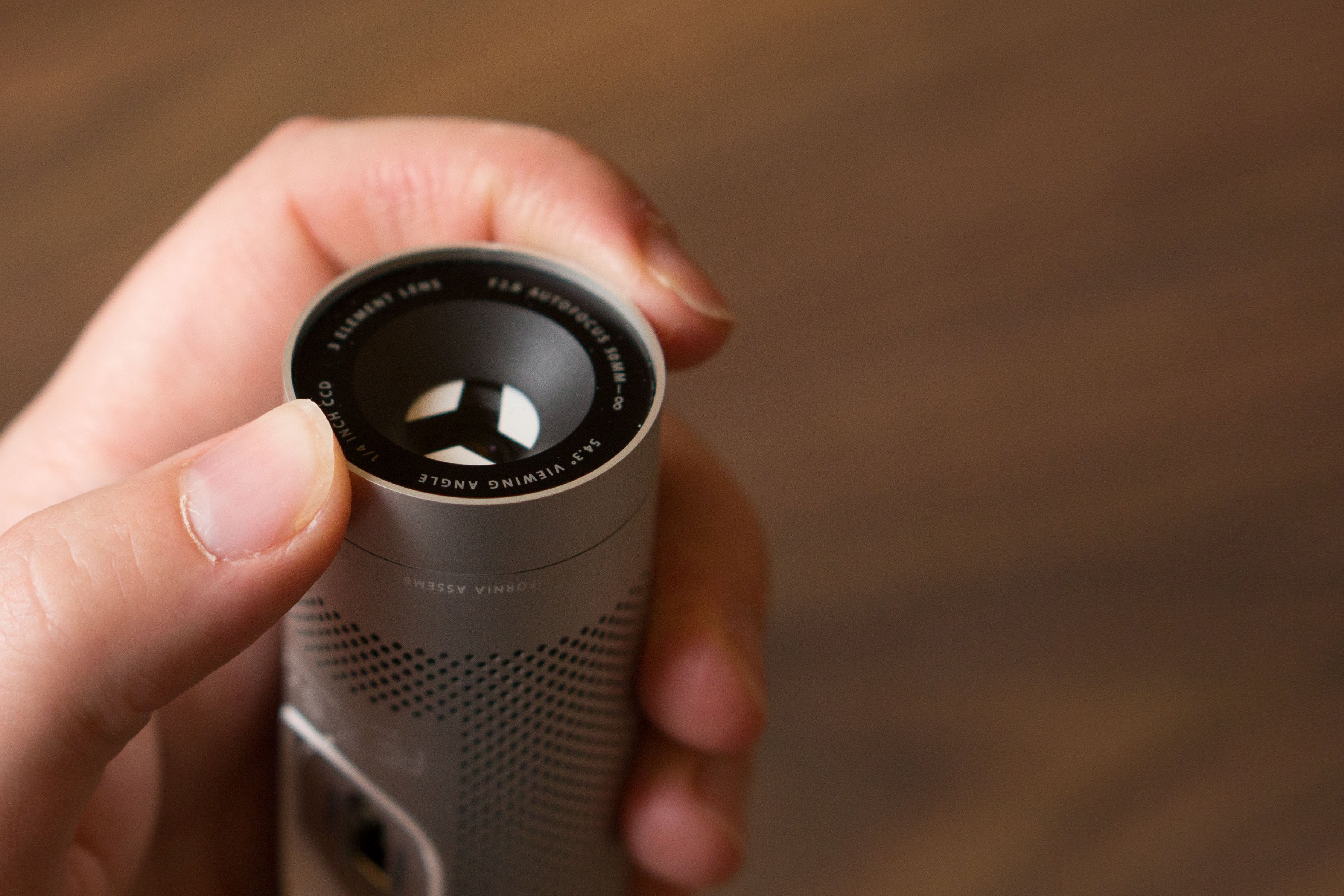
Apple: Using a camera cover might damage your MacBook's display(support.apple.com) |
Apple: Using a camera cover might damage your MacBook's display(support.apple.com) |
https://images.techhive.com/images/article/2015/12/isight-02...
That was good privacy-first design.
> Make sure the camera cover is not thicker than an average piece of printer paper (0.1mm).
> Avoid using a camera cover that leaves adhesive residue.
> If you install a camera cover that is thicker than 0.1mm, remove the camera cover before closing your computer.
To me this sounds reasonable.
People just kept doing what they have been doing for years with their old laptops, but now their very expensive new laptop broke -> unreasonable.
So Apple makes a metal machine with very low tolerances that feels super solid.
https://arstechnica.com/information-technology/2013/12/perv-...
Has Apple fixed the issue? Most likely. But do you trust Apple completely? Would a $0.50 piece of plastic solve that trust issue?
Some software like Zoom has invasive defaults, where a meeting host may choose to force cameras on for participants when they join a meeting. I don’t trust software to respect me, so the tape makes sure turning my camera on or off is always my decision.
I don’t see any way for a host to force video on. All I see is that they can send a request to you to turn your video on.
Anyway, the Zoom example is the least important part of my comment. I can’t trust any of those settings, because Zoom might change the defaults or overwrite what I have. I can trust tape, though. Tape won’t betray me for the sake of engagement metrics.
I use a bit of blue painters tape, which is thin enough not to put significant extra pressure on the display.
This is just common sense. Don’t close a screen and wedge something in there that occupies the millimeters of space between glass and metal. If you do so, you’re taking a risk, which maybe you’re ok with if your cover is thin, like a PostIt note.
We’ve had plenty of app developers manipulate the microphone without permission until Apple cracked down on it. With the latest versions of macOS, Apple has done the same. But it seems to me if people are wary of their computer, maybe they shouldn’t forget about the other computer they’re probably looking at way more often.
Literally saying a Mac camera is an always-on device, regardless if the LED is illuminated or not.
Seems worth checking.
As a former colleague pointed out: If some on is so far into my computer that they can disable the camera LED and turn on the camera, having leaked pictures of me walking around in my underwear is the least of my concerns.
He had a point. We're so afraid of bad guys spying on us using the built in camera that we forget if they are so far into our machines they can steal pretty much everything else.
Genuinely curious if this is a thing.
Between the 4 cameras in my phone and the CCTV everywhere, seems a bit of a little odd for the computer camera point directly at the operator to be the greatest concern and mandated to be covered.
Of course people arent just covering their camera, they are doing something to disable the audio capture as well right?
People who are working remotely, especially from home, are often in control of everything except their work laptop. The camera pointed right at you is poised to capture extremely private and intimate moments, because you don't _expect_ it to be on. But there's a precident of laptops owned by third-parties spying on their users.
It's especially problematic when those users are children. E.g. https://www.theguardian.com/commentisfree/2021/oct/11/us-stu...
My private and intimate moments are had while my work laptop is off. The web filter blocks youtube, so I doubt private and intimate websites are allowed between zoom meetings.
Back in the less precision engineered days I used a cover - but since about 2015 I've been using a bit of blue masking tape. Works fine and in 7 years I've never had issues with adhesive residue
This isn't unreasonable. Attackers that have managed to compromise systems do use compromising photos as leverage. Literally it's called sextortion[0]. With the small price of a camera cover, you can be reasonably confident you're not a victim.
[0]: https://www.allure.com/story/online-predators-blackmail-sext...
There are plenty of other examples of cases where this specific brand of paranoia is reasonable
I recommend "washi tape" if you can find it.
Pro tip: fold one end of the tape over onto itself to stick together, you now have a pull-tab to easily remove the tape it if you need to make a video call.
“All Apple silicon-based Mac notebooks and Intel-based Mac notebooks with the Apple T2 Security Chip feature a hardware disconnect that disables the microphone whenever the lid is closed”
[0] https://support.apple.com/guide/security/hardware-microphone...
Apple's attitude has always been condescending. Forcing users to fit the product, instead of the other way around. Then again, this totalitarian mentality isn't only confined to Apple.
No, if they added one it would show that they actually care about reassuring their users' privacy, instead of merely saying "trust us".
In the "better" category, Apple claims webcam access is controlled by the secure enclave processor, which is more than most manufacturers do.
But, the latest Macs don't have a LED for the mic, which is a disappointment. Good old MacBooks had a LED indicator for the mic.
EDIT: sorry, my memory failed me. The old MacBooks didn't have a LED for the mic. On white plastic MacBooks (2006), there's two black dots around the camera. The dot on the right side is a LED for the camera. The dot on the left side is the mic, not the LED indicator for it. Thanks for correcting me!
This isn't true. I just tested it. There is definitely a physical LED next to the camera, within the "notch" area of the display.
But breaks, so yeah "feels" is the keyword here.
The funniest thing about that was the fuse protecting the camera was intact.
Having just had my screen be ruined by a micro-fracture I would rather just trust the green indicator dot than be without my laptop for a week.
[1] https://www.businessinsider.com/lenovo-thinkshutter-laptops-...
It's funny because having actually worked at Apple this isn't the case at all. They do a lot of product market research and PMs always read Radar, Feedback Reporter etc. Look at the recent pivots on keyboard, TouchBar, MagSafe, SD card etc.
It's more that people such as yourself are being condescending by assuming that your view of the world is the right one and everyone else is wrong.
In this case you assume that people (a) don't trust that Apple always shows the indicator light when the camera is on and (b) are willing to accept a thicker device for this feature.
Perhaps it's just me, I wonder why would people say that they love open-source while using devices with such a closed ecosystem, using various approaches to make it incompatible other things.
And now that most buttons are controlled by software anyway, where’s the difference to a “physical” button? Better to have a hard-wired camera light that you cannot bypass.
Apart from that, not having to choose often feels more liberating than restricting. You’re almost guaranteed to be overwhelmed by options and feel stupid afterwards, no matter what you chose, because there is always a better choice to be made. Ever detailed a new car? It’s paralyzing. Base models are simply base templates. Options creep in. If you allow several, intransparent dependencies appear, frustrate you and soon you expect everything to be completely modular.
Better to have a small number of pre-defined, comprehensive packages.
No, this is not true. Apple never included a physical indicator for microphone use on any computer.
Are you sure about that? I've had the plastic MacBook and a few MacBook Pros, and none of them had a hardware visual indicator for the mic.
https://support.apple.com/en-au/guide/security/secbbd20b00b/...
So you should have some guarantee that no one is spying when laptop is sleeping at least.
And I don't believe anyone on here is talking about camera covers for their phone.
[1] https://machinelearning.apple.com/research?page=1&sort=oldes...
> Face ID automatically adapts to changes in your appearance, such as wearing cosmetic makeup or growing facial hair ... Face ID is designed to work with hats, scarves, glasses, contact lenses, and many sunglasses. Furthermore, it's designed to work indoors, outdoors, and even in total darkness.
And to improve features like:
> Even if you don’t enroll in Face ID, the TrueDepth camera intelligently activates to support attention aware features, like dimming the display if you aren't looking at your device or lowering the volume of alerts if you're looking at your device. For example, when using Safari, your device checks to determine if you're looking at your device and turns the screen off if you aren’t. If you don’t want to use these features, you can open Settings > Face ID & Passcode and disable Attention Aware Features.
( https://support.apple.com/en-in/HT208108 ).
It can also help to improve facial recognition in photos which Apple has been featuring for some time now in their Photos app.
You're picking a very odd target for this in Apple, who are pretty clear about their attitude on privacy, especially when it comes to cameras and microphones - for instance modern Macs and iPads have hardware disconnects for the microphones[1] when closed & Macs have green indicator LEDs wired into the camera hardware to make it impossible to activate the camera without the light coming on (as noted in the article we're commenting on!)
Also, you're still talking about FaceID: the parent comment pointed out that FaceID doesn't exist on the Mac. Craig Federighi was actually asked about FaceID support for the new notch Macs when they were released, and he said that he didn't think there was a benefit vs the TouchID sensor because it'd still be necessary to have the user tap a physical button to confirm actions -- e.g. for purchases or privilege escalation. The camera assembly would also need to be thicker & larger to put the FaceID projector & IR camera in place.
On using continuously (and surreptitiously/illegally) captured camera data to improve FaceID's model of the owner for iPhone/iPad: there's just no need to continuously capture - there is already plenty of opportunity to update the face model every time the phone is unlocked. I don't know what the stats on this are but I'd imagine users are unlocking their phones hundreds of times a day.
>It can also help to improve facial recognition in photos which Apple has been featuring for some time now in their Photos app.
They already have lots of data here from your photos already, and since they're stored in your photo library your Mac has access to them to re-run recognition if needed if an updated version of the Photos app comes with a model update. Not to mention that by using above-board data they are able to get corrections for classification errors (since the user operating/looking at the computer may well not be the account owner).
1: https://support.apple.com/en-gb/guide/security/secbbd20b00b/...
The True Tone technology in Mac computers, Studio Display, and Apple Pro Display XDR uses advanced multichannel sensors to adjust the color and intensity of your display and Touch Bar to match the ambient light so that images appear more natural.
Personally I trust them on privacy more than any other tech company, and I think would give them the benefit of the doubt that what you experienced was a settings bug (or a well-intentioned firewall exception) - but I'm sure I would feel differently if it was my settings that had been reset, and I know that once that trust is shaken it's nearly impossible to rebuild it.