On Desktop GUI Minimalism(mycophobia.org) |
On Desktop GUI Minimalism(mycophobia.org) |
Even in this article just a few sentences after stating we should start from first principles he then jumps into the assumption of the "desktop".
The baggage of TTY interfaces in textual interfaces and the "desktop" paradigm for GUI interfaces is preventing people from going back to actual first principles for designing personal computing interfaces.
Of course I do appreciate that since the title of the articles is minimalist desktop GUIs the assumption of "first principles of computing assuming a desktop analog" is baked into the article, I just think it's insufficient.
I think we already found out what works best for monitor+mouse+keyboard 20-ish years ago. There's a lot to improve in terms of consistency and various details, but I don’t think there's any new paradigm to be found that would work better.
Agree. Although I can see how the idea of "first principles" can be a very difficult starting point. A blank sheet of paper is a scary monster.
There's a huge breadth and depth of non-"desktop" GUIs out there, some (like smartphones) are even wildly successful. It's good to explore them for inspiration. Some of my favourites:
- Arcan (https://arcan-fe.com/about/) - I won't attempt to summarize, just dive in!
- SailfishOS (https://sailfishos.org/) - mobile UI focused on interaction through gestures / swipes; I've used it as my daily driver for a couple years.
- Speaking of mobiles, classic Nokia UIs allowed you to navigate to a specific item in the menu by pressing the corresponding digit on the dial pad. Once you learned where a particular item is, accessing e.g. your SMS inbox was extremely quick.
- Apple Watch / WatchOS (https://www.apple.com/watchos/) - I've always loved the idea of a device where one of the primary interaction methods was a wheel/dial of some sort. The watch even gives you context-sensitive tactile feedback.
- ZUIs in general (https://en.wikipedia.org/wiki/Zooming_user_interface) and the work of Jef Raskin in particular: https://en.wikipedia.org/wiki/Archy_(software) - this is the guy who helped design the Macintosh, but his other work took a radically different route.
- Magit (https://magit.vc/). Many common git operations are reduced to a couple of keystrokes; the obscure features are more discoverable, and the cumbersome procedures (such as rebasing, or staging individual hunks) become simple and intuitive. Also check out transient (https://github.com/magit/transient), which is the "UI toolkit" that powers Magit.
Smartphone UIs are non-desktop metaphors? They sure seem like a desktop metaphor to me, albeit a very tiny desktop.
i think the first rule for me is: computers need to make things more simple for humans.
how we control our devices, how we use those controls to do things (like interact with these guis), currentlt the model makes things always difficult and practically ensures people lose immersion of their real life into some device screen and controlscheme.
tldr i guess; u can optimise guis etc. but if you dont change the interface to those guis its not reinventing anything. these things work in concert to generate the users experience.
The author mentions this design in passing but I think it is contextually important to understand why people might like this at all so I'll share what I appreciate about tiling window managers:
The appeal, for me, is the inflexibility. Tiling window managers and their often bundled 'tags' approach to window management offer a simplicity that is comforting in its constancy to me, the user. To sum it up, they make me feel 'at home' using my computer. Comfy goes beyond familiarity though.
I never have a mess of windows to deal with across my monitors, where I'm constantly needing to look at a taskbar, minimizing and un-minimizing programs (or looking through a stack of 'shaded' windows in the author's case). Each of my frequently used programs has its own tag, or shares a tag (visually as a tile) with other programs. While the programs I have open at any one time change, their locations don't. Everything in its right place, I always know what is where. I switch between all programs directly with ease, with no intermediate interruptions to occupy my attention, my hands never leaving my keyboard. No 'looking' for stuff. Switches happen instantly because there are no transitions or any other forms of detectable latency (and for that matter, no compositor either). Combine all this with extensive use of scratchpads for ad-hoc and exploratory tasks and all the bases have been covered. Comfy.
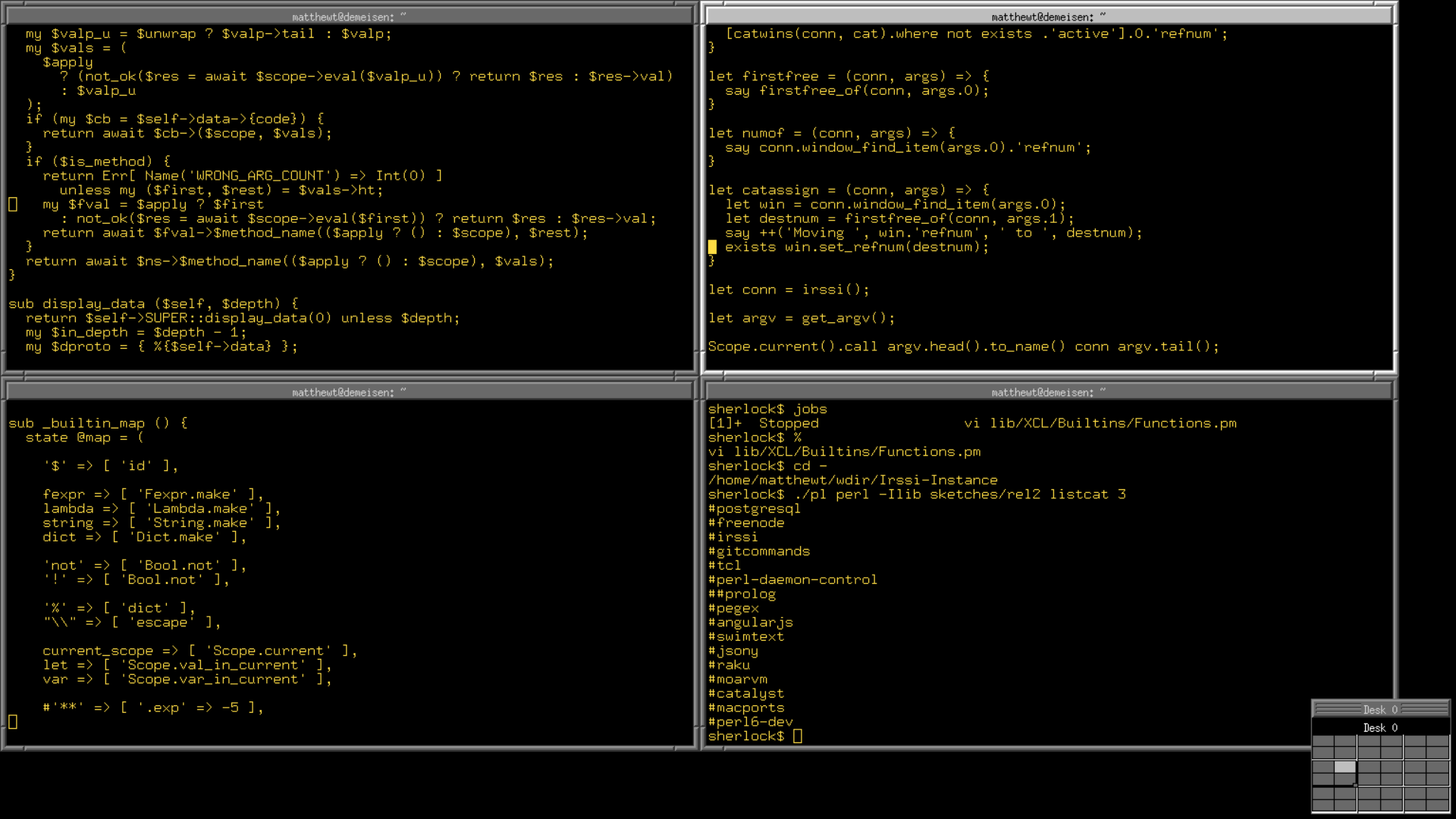
The screenshot is 1920x1080. Screens are sold using buzzwords like 'HD', 'UHD', and 'retina' that evoke a sense of image clarity. I spent years telling my dad that I liked higher resolutions because it meant more /space/ and he couldn't grasp what I meant. He was stuck on associating higher resolution with clarity until I bought him a 43" 4k monitor, and he used it for a while. Even at 1.5x scaling, suddenly, he was able to view multiple pages of a document clearly at the same time without even scrolling. This isn't at all a normal desktop setup or the kind of setup that desktop environments are optimizing for or advocating. But it works better and better matches the inspiration.
Furthermore, I use the tiling functionality heavily. There are about 10 apps I use regularly, and they launch and get bound to a particular workspace on startup. My screen remains uncluttered, with one app filling the viewport, and a single keystroke to switch to the other apps I use. It's pretty close to perfect for my use cases.
Lastly, these WMs are all configured through text files, so your exact configuration can be stored in dot files in git. In my case I use Nix, so I can redeploy my exact setup on any machine without any manual configuration.
From that list I use greetd + tuigreet as my login manager, sway-launcher-desktop for FZF-powered app launching, and wob for lightweight brightness and volume display (send '50' to the wob socket and it'll show 50%; it doesn't get simpler).
I'm curious if there are any particular guides/examples you would recommend, or whether your Nix config is open source somewhere?
Stumpwm is also very attractive. Less "Unixy" but more Lispy which is a different approach at getting exactly what you want.
> What I have now is a reasonable facsimile of the classic Mac OS UI functionality in Linux, minus little niceties like the aforementioned popup folders, and I've found that I need basically nothing beyond that to work incredibly efficiently.
While it's one of the killer features of linux that you have enormous flexibility in how you use it and set it up, the screen-shot gives me the heebie-jeebies. Visually it's too noisy. I couldn't concentrate with that clutter screaming in my face.
Nb: I'm a i3 + command-line guy.
As a teenager, my first experience with Linux (a Fedora book & CD combo) was formatting my main Windows drive with all my data on it. Good times.
99% of the time you just want information. Text. The chrome does not matter. Yet modern desktops and web pages make humans hunt and pick through poorly designed interfaces to get the info we need.
I use EXWM. It’s a time saver. I have no desktop because I am either using the full screen for a single application or flip flopping between a few apps that share the entire screen. This means every pixel of the screen is used and not wasted on useless images of empty fields.
In top of that I am able to designate windows and frames for specific jobs or functions, always able to recall the last terminal or most relevance.
We fucked up with movable windows. They are inefficient complicated and bring little value over a simple list of activities to switch between.
On the minimalist side, we're all bikeshedding, and the biggest challenge is that there are more theories about what a nice interface should be like than there are users...
The wording has some ambiguity, but it does sound like TFA hasn't heard of Xerox or Perq - perhaps attributing some misplaced invention, rather than popularisation, to Apple.
Subsequently reinforced my suspicion:
> The spirit of the Macintosh spread throughout all of computing; the GUI was inexorably the future.
I think with desktop minimalism there's two broad interpretations - a desktop metaphor that is simple (has (frustratingly) few features), versus one that is complex but can be configured to be simple to operate.
I like the fact I can very precisely adjust the width and colour of my window borders, but it's not a configuration item I visit more than once every few years, so I wouldn't say the option adds to the complexity of the interface. (Disclaimer - I've never used MATE.)
> Oddly enough, only GNOME has had any kind of distinct vision
The author did use KDE early on (version 3, but says they've only been using a computer for a decade and change).
They're aware of other desktops, then, including the one that's arguably put the most effort into having a consistent user experience.
The discussion on navigating through minimised windows I think boils down to a consideration of how to represent complexity - similarly their discussion of the launcher - almost inevitably a hierarchy is required if we are aiming to 'avoid the keyboard at all costs'. People have different GUI preferences there - mine is generally narrow and deep, over wide and shallow.
The way I read it, they were attributing the intercombination of these elements under the desktop metaphor to Apple. Smalltalk existed, the Star existed, PERQ existed, the Lisp Machine GUIs existed and JERQ/Blit existed, but all of these were so substantially different from each other let alone what Apple did that they functionally exerted little influence on the way GUIs developed after the Macintosh launched save for a few odd branches here and there (Oberon anyone?)
The author is not taking the metaphor far enough! He left out one of my favorite pieces of Mac OS.
The folder should not contain application launchers. It should contain the actual applications themselves. An application is just a file. To "install" an application, copy the file to a location on your hard drive. To "uninstall" an application, delete the file.
Under the hood, applications can be a collection of files, whatever, but the GUI should treat each application as one file.
Awesome WM gives you an organized clutter if you opened too many windows that's not bare-minimum terminals, while XFCE with all it's window UI elements made the clutter even worse (but you can just minimize the window). The new Gnome just made it so that opening more than three windows under the same workspace gives you nightmares due to lack of a dock as well as minimize buttons.
(Now, to clarify, I had good experiences with all the desktop/wms mentioned above, so it's not a criticize, more of pointing out my desires)
If you take a look at the screenshot presented in the article, I don't really think it's a productive desktop any more because it takes at least 5 seconds to find the window that you wanted. I mean, I'm sure MATE has tried it's best there, but... I think we are all limited by the lack of imagination of how a good desktop should be like.
For me, I resolved my clutter problems by installing a Dock extension as well as (most importantly, actually) adding an external monitor. So finally I can comfortably open more than 6 windows at a time :) (Yep, I keep the tree windows that I wanted on the main monitor and throw the rest of clutters to the second one :)
I feel exactly the same way but solve it by having an fvwm2 configuration that makes my workspace 3x3 (currently) of the physical screen size and I can scroll the viewport around that to taste.
See https://trout.me.uk/X11/fvwm2rc for my configuration if curious (for a more actual-GUI-ish workflow you'd want to configure more of its features, I generally just have lots of xterms and maybe a firefox - see https://trout.me.uk/screenshot4.png)
RiscOS is quite nice to use, but it is .. limited. No wifi for instance. And the filesystem uses . (dots) for folder separators, so xfering files can be a pain.
Decently cool and interesting, but not worth the hour-long read IMHO.
Try some 3D creation tools, such as Autodesk Fusion or Blender. Those face a really hard problem. It took too many years to get 3D CAD and drawing up to a tolerable level. Selection in a cluttered 3D environment took a long time to solve. Most user-level GUIs are addressing a far simpler problem.
I'd just like to have borders back. They don't have to be big, or shadowed. Just present. I'm tired of overlapping borderless consoles in Ubuntu. Of web sites where there's a scrollable area with no border. Multiple scrollable areas with no border, as with Discord. Buttons with no indication of the live area. This stuff is borrowed from phones, but does not scale well to larger screens and more controls.
I don't like tiling window managers, because I want most windows to be roughly centered in my field of view, and also vertically maximized. Actually, what I really want to be centered is the relevant contents of each window, which generally isn’t the same as centering the window itself, due to sidebars and other application-specific layout vagaries. Hence the necessity to save size and position per application. I also rarely need to see multiple windows simultaneously side-by-side. Having the windows centered and full size (if not full screen) trumps the drawback of having to press Alt+Tab or other keyboard shortcuts to switch between them.
A couple of decades later, I went through so many macOS versions, Windows 7,8,10 and different Gnome/KDE/Xfce etc., to find out just recently (well, a couple of years by now) that sway wm (or i3wm for X11) is a thing. What a relief! I’m back into old calm days with no eternal switching and multitasking that takes so much of my attention, giving nothing in return. God, I wish I knew about that much much earlier! When I left Windows for good, that was the only thing I missed so much! Now I enjoy that and 300 MB of occupied ram out of my 16 or 32 GB setups. Would highly recommend to any nerd like me!
In floating systems, partially covered windows are useless and usually avoided: either you want to see everything, or you minimize the window. The few times one tries to actually keep a partially covered window (i.e. show only the last few lines of a terminal visible), the UX is terrible because as soon as you switch focus the visibility of the entire stack of windows changes, and you need to click around/Alt-Tab to restore the previous layout. For this reason, 99% of people just have a single window that's maximized per workspace.
Tiling window managers could be decent if they were a core experience, but in reality no one develops apps for them so you always have some popup that spawns and fills half your screen.
The major shortcoming of both is that they only work in rectangular, desktop-sized screens. Mobile UIs avoid both, and default to single-window-always-maximized, which still isn't good enough.
Scrollable tiling managers, however, would be the bee's knees: windows are laid out on an infinitely scrollable horizontal layout, which would also easily replicate the common side-by-side layout "power users" often rely on. There are some niche experiments like PaperWM, but they haven't ironed out the UX for some reason: if they just made the entire layout scrollable by panning on your touchpad/mobile screen, it would instantly be better than anything we have today, and free us from the tyranny of window management. Additionally, it would work with both our widescreen, cinema-sized desktop monitors, and mobile devices.
(I have never used it and memory might fail me, but I seem to remember Palm webOS devices had this scrollable "card" layout system which people seemed to like a lot. See https://www.palmtotal.com/sites/www.palmtotal.com/files/imag...)
"pop window to front on focus" is a choice - in fvwm2 by default it doesn't happen, you need to click the window decoration to bring one to the front and can focus it just fine without doing so.
I use focus follows mouse as well so all I have to do is put the cursor over wherever I currently want to type into, but while I personally think the combination of the two is more than the sum of its parts, 'windows stay put Z-order wise' is great on its own too.
> Scrollable tiling managers, however, would be the bee's knees: windows are laid out on an infinitely scrollable horizontal layout, which would also easily replicate the common side-by-side layout "power users" often rely on.
I have a small script called xclus (https://trout.me.uk/X11/xclus) that fires up my xterms pre-tiled and scroll around them - including sometimes borrowing the left hand pair of the screen's worth to the right to end up having six dedicated to a task rather than four. Looks a like https://trout.me.uk/screenshot4.png in practice, look at the pager at the bottom to see the pre-tiled ones that I can scroll across to.
It was surprisingly nice but in retrospect a bit too mouse heavy.
I've since gone over to tiling. Sway in particular.
The main drawback is that I absolutely never see my desktop background, but that’s about it.
It was mostly on the Workbench we used floating windows, and while we had "sort-of" spatial, in that the position of windows were remembered if you chose, the if you chose (by choosing "snapshot") part meant you were free to move folder around knowing they'd be back where they should be when you opened them again. To me it's always been annoying that the attempts at spatial on Linux all took it to the extreme of remembering every change, which to me was always the biggest wart of these systems.
I absolutely like expanding screen size, and can't deal with peoples tendency to opt for tiny little laptops, but at the same time, I don't need all that much physical screen space for most things because everything happens on separate "screens"/virtual desktops the way it used to back on my Amiga.
I do prefer to turn my head side to side rather than up and down, so right now I'm happiest with a 5120x1440 49" monitor and may consider a 7680x2160 57" monitor sometime in the future.
Doing all of this still felt cumbersome and then it dawned on me about a year ago, because I don’t game or watch full screen video, I think I’d much prefer the old 4x3 screens for my workflow.
Refreshingly so at times. Comparatively it’s very distraction free.
Whenever I fire it up to journal or fiddle with some classic MacOS development I always think, “Where did we manage to go so wrong in the last 30 years?”
With all due respect, I can never take these self-made claims at face value. You definitely feel that you are more productive, but that may or may not be the actual case and it is easy to lie to ourselves.
i3 (actually sway) helps me with focusing only at those windows that belong to a specific task, and often in full-screen. if I must use a GUI browser which has tabs and constant distraction then I can do so, but the context switch isn't "just mental" but I have to change over to another virtal desktop. this sounds hardly revolutionary (virtual desktops are also in KDE and Gnome). But it is a lot more "painful" than having everything in front of me at all times using 3 monitors. It also makes me actively aware (!!) that a context switch is happening, and so I end up allowing it less, and force myself to finish what I'm doing before attending to some interruption. there is no taskbar no dbus-popups.
I even use my device for undistracted reading of books multiple hours at the time, without snacking on HN content inbetween. (although for this I've started using another cheap old laptop that does not have network and is only running a few things (zathura for reading PDF's and calibre for converting from different formats). -> hardware compartmentalization FTW
generally leaving fullscreen and reconnecting the network and switching to another desktop is just too many steps and i now only break my concentration with a total awareness of it happening.
It honestly changed my life, made me more focused, less anxious, and more in control. Def not going back to the illusion of being productive just because I'm juggling everything at once ...
In any case I'll add another anecdote for someone that has nearly the identical setup to the GP and will say it also significantly increased my productivity. Don't really care if anyone believes me.
I use Kitty for my terminal, i3 for my window manager, vifm for my file manager, vim/neovim for my editor and Firefox. All of my virtual desktops handle different things, like watching movies, doing AI projects, web work, game development, graphics work, etc.
You can do all of this stuff in Windows or on a Mac, but I'm using minimal resources with a highly streamlined workflow. Everything that I can script, I script. I also use Zsh with quite a few plugins so the terminal itself isn't so important. I use Kitty because it's fast, can render graphics, is well documented and has a ton of features.
Given I use a much larger screen I can assure you it works well.
Text is a not an information-dense medium, and for many kind of data it simply sucks.
Also, please don’t just go around throwing productivity into sentences, it is just completely baseless and biased observation on your own part - if you better enjoy a new workflow, but it is actually slower, you might still feel more “productive”.
true, but the api is very stable
And, yes, I managed to bind slrnpull with GNU's avoiding a huge chunk of time. And, SLRN was much faster. On hackability, I don't care, awk/sed/sh it's my glue, and perl+CPAN for a big task.
In the end, it's being run on a batch basis with cron, so I have the ultimate Unix tools: let the tools do the hard work themselves with scripts, so you just ignore anything else and focus on your current task. Mails, news posts and RSS's are currently managed in the background, a single script will download and upload all the data.
FVWM is truly the living bible of window management.
[1] vtwm.org
The best productivity for me is a separate machine per context (with synergy or similar), because it won't clutter the alt-tab.
Fast userswitching doesn't work, as I'll have to switch back and forth between users (roles actually). I simply want isolated users, with their own filesystem/directory, but still be able to control them at the same time (virtual KVM).
Ideally, I'd create "contexts" or users on my mac, and split / arrange parts of my monitor as desktops. I thought about using parallels or X11 to mimic this behavior, but it simply is not the same.
MacOS's stage manager kind of works, but it's very buggy, and it won't get you an isolated filesystem. I've "solved" having the browser for different purposes by creating separate instances (not just separate profiles, but actual executables) of chrome (dev, social media, general browsing), which helps a lot, but I can't do that with everything
But how? What were you doing that involved window placement or positioning that "makes you more productive"? I just don't see how these activities, in the context of doing day-to-day work, could shave off more than a few minutes a day.
"Significantly" implies to me some double-digit percentage increase in the ability to accomplish tasks, and I just can't see how a window manager could possibly be responsible for such a thing.
What is rarely taken into account is that offloading mental energy can lead to better solutions.
For example, I make two paintings. Both take me ten hours, but for the second one I was sitting in a more comfortable chair, in a calm room, and the resulting painting is significantly better.
Less friction might not manifest as a big numerical statistic that you can look at and nod your head in approval, but it might do wonder for the internal levels of stress one feels in interacting with devices. And ultimately, that's what matters most.
On my mac the desktops constantly change position for unknown reasons. Managing windows is a huge pain on each desktop because it's very easy to obscure them... there is also a ton of wasted space with so much gui noise. CMD tabbing through apps is tedious and inflexible.
I posted some screenshots of my Linux setup in a different comment. My Linux workflow is night and day. All of my projects are streamlined on their own workspace, I can jump between tasks with no mental effort, everything is at my fingertips, I make less mistakes (working in the wrong terminal or editor), everything is done with vi bindings, etc. I have custom shortcuts set for things I need and I have multiple browsers that I can overlay on any workspace if I need to.
I can't quantify my productivity increase, but I know it's there. I also know I'm much happier when I'm working now because I'm much more organized and focused. I'm also not dealing with a Laptop (Macbook) that sounds like a rocket about to take off. My Linux box operates under 1% CPU load all the time. My point is not to say my setup is better (I'm not an evangelist on these things), but that I found a huge productivity boost for my needs with a minimal setup. I was very skeptical when I started out and it was a combination of being out of my comfort zone and being incredulous to a radically different way of using a computer.
1. You can change the setting so that workspaces do not change their position/order. See: https://apple.stackexchange.com/questions/214348/how-to-prev...
2. The third party app “alt-tab” provides an alt tab experience that is much better than the native one, and is likely more similar to the behavior you expect from Linux. See: https://alt-tab-macos.netlify.app
I also personally like to use Rectangle for window positioning using keyboard shortcuts, tried the various auto tiling solutions like yabai and amethyst in the past but I think the flexibility of Rectangle is worth having to remember and use a few keyboard shortcuts.
I think it’s unfortunate that so many third party apps are required, but with a bit of babysitting MacOS can be pretty decent to work with.
Think of a cluttered workbench in a garage versus a clean and organized one. I don't need a scientific study to tell me which one is more efficient.
This "fractional scaling" might be a problem of Wayland and/or Gnome, but it certainly it is not a problem of Linux or of X Window System.
In any non-stupid graphics environment you need just to set an appropriate value for the dots-per-inch parameter, which will inform all applications about the physical size of the pixels on your monitor (allowing the rendering algorithms to scale arbitrarily any graphic elements).
Any non-stupid application must specify the size of the fonts in typographic points, not in pixels. When this is done, the fonts will be rendered at the same size on any monitor, but beautifully on a 4k monitor and uglier on a Full HD monitor.
The resolution of a Full HD monitor is extremely low in comparison with printed paper, so the fonts rendered on it are greatly distorted in comparison with their true outlines. A 4k monitor is much better, but at normal desktop sizes it is still inferior to printed paper, so for big monitors even better resolutions are needed to recreate the same experience that has been available for hundreds of years when reading printed books. A 4k monitor can match the retina resolution only for very small screens or for desktop monitors seen from a great distance, much greater than a normal work distance.
Similarly, any non-stupid drawing applications must not specify any dimensions in pixels, but in proper length units or in units relative to the dimensions of the screen or of the windows, and then the sizes will be the same everywhere, but all graphical elements will be more beautiful on a 4k monitor.
This was already elementary knowledge more than 30 years ago, and recommended since the most ancient versions of X Window System and MS Windows. I do not even know when this modern "fractional scaling" junk problem has appeared and who is guilty of it.
I have switched to using only 4k monitors with my desktops and laptops, on all of which I use Linux (with XFCE), about a decade ago, and during all this time I never had any kind of scaling problems, except with several professional (!!) applications written in Java by incompetent programmers, which not only ignore the system settings, so they show pixel-sized windows and fonts, but they also do not have any option for choosing another font or at least another font size (so much for the "run anywhere" claim of Java).
Correcting this is a very small change that would have been much simpler than inventing the various "integer scaling" and "fractional scaling" gimmicks, which have been included in some desktop environments.
Using the correct units in graphics APIs is not "programming font rendering". It would have been better if pixels would have never been exposed in any graphics APIs after the introduction of scalable font rendering and scalable drawing, removing thus any future scaling problems, but it was tempting to provide them to enable optimizations, especially during times when many were still using very low resolution VGA displays.
However such optimizations are typically useless, because they optimize an application only for the display that happens to be used by the developer, not for the display of the final user. Optimizations for the latter can be achieved only by allowing the users to modify any sizes, to be able to choose those that look best on their hardware.